

iPhone won't charge: 5 solutions before repair
Your iPhone won't charge? Before heading to a repair shop, try these 5 simple solutions. And if nothing works, Safe repairs it in 30 min.
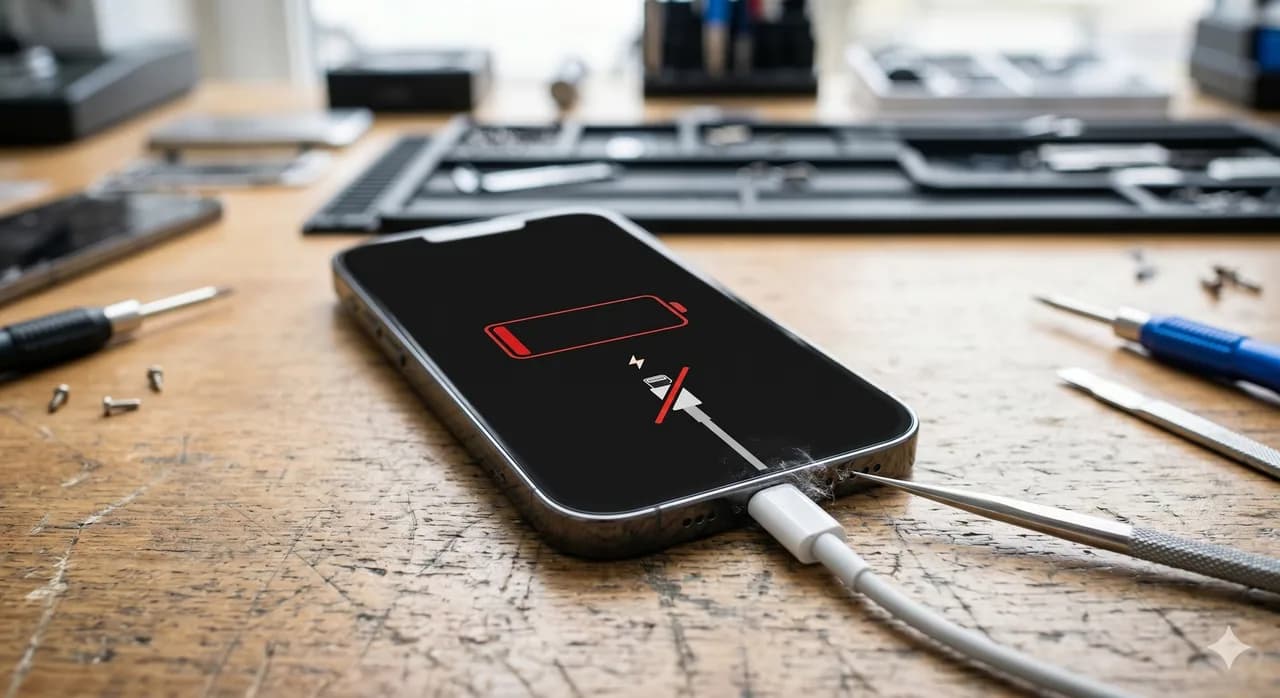
Your iPhone refuses to charge? Don't panic. Before visiting a repair shop, there are several simple solutions you can try yourself. In 30% of cases, the problem isn't a hardware fault but an easily fixable issue. Here are the 5 solutions to try before considering a repair, and how to know when it's time to call a professional.
Solution 1: Clean the charging port
This is the number one cause of charging problems, yet the most often overlooked. Your iPhone's Lightning or USB-C port accumulates lint, dust, and debris over time. These residues prevent the cable connector from inserting properly and maintaining good electrical contact.
How to do it: turn off your iPhone, then use a wooden toothpick or anti-static brush to gently remove debris from the port. Avoid metal objects that could damage the contacts. Blow lightly to remove the last dust particles. You'll be surprised at how much lint can accumulate in this small space.
Solution 2: Try a different cable and power adapter
A charging cable undergoes daily mechanical stress: bending, twisting, pulling. Over time, the internal wires weaken and break, even if the cable looks intact on the outside. The power adapter can also be the culprit.
Test with another Apple-certified (or MFi) cable and a different power adapter. If your iPhone charges with a different cable, the problem is identified: your cable is faulty. Avoid no-brand cables at €2 that can damage the battery or charging port in the long run.
Solution 3: Force restart
Sometimes it's the software blocking the charge. An iOS bug can prevent your iPhone from recognizing that it's plugged in. A force restart often resolves this type of issue.
For iPhone 8 and later: briefly press Volume Up, then Volume Down, then hold the side button until you see the Apple logo. This won't delete any data and simply resets the system. If your iPhone won't turn on at all, plug it in for at least 30 minutes before attempting the force restart.
Solution 4: Check your iOS settings
iOS includes battery management features that can limit or slow down charging without you knowing. Go to Settings > Battery > Battery Health & Charging. Check that 'Optimized Battery Charging' isn't stopping the charge at 80%. This feature, enabled by default, learns your charging habits and may delay finishing the charge to preserve battery life.
If your iPhone displays an 'Accessory Not Supported' or 'This accessory may not be compatible' message, this indicates either a non-certified cable or a problem with the charging port or charge controller.
Related articles
 guides
Motherboard micro-soldering: why you should call an expert
Motherboard micro-soldering is a rare expertise. GPU reballing, baseband chips, charging circuits: discover why Safe is the reference in France.
 guides
How to tell if your iPhone battery is dead
Is your iPhone draining too fast or shutting down for no reason? Here are the 6 signs that your battery is at the end of its life and needs to be replaced.
 guides
How much does iPhone screen repair cost in 2026?
How much to repair an iPhone screen in 2026? From €49 to €350 depending on the model. Discover our prices by generation and why choose Safe.
Stay informed with The Safe Mag
Tutorials, deals and tech news straight to your inbox. No spam, promise.