

How to tell if your iPhone battery is dead
Is your iPhone draining too fast or shutting down for no reason? Here are the 6 signs that your battery is at the end of its life and needs to be replaced.
Your iPhone barely lasts half a day? It shuts down without warning even though it still showed 25% battery? These are clear signals that your battery is reaching the end of its life. But how can you be sure? Here are the 6 unmistakable signs, how to check your battery health in settings, and when it's time to get it replaced.
The 6 signs of a dying iPhone battery
1. Battery health is below 80%
This is the most reliable indicator. Apple includes a diagnostic tool directly in iOS. Go to Settings > Battery > Battery Health & Charging. You'll find a 'Maximum Capacity' percentage. This number represents your battery's current capacity compared to its original capacity. Below 80%, Apple considers the battery worn and recommends replacement. At 70%, you've lost nearly a third of your original battery life.
2. Your iPhone shuts down with battery remaining
Your iPhone shows 20% or 15% charge and suddenly shuts down? This is a classic sign of a degraded battery. Aging lithium-ion cells can no longer supply the current needed by the processor when charge is low. The system cuts off to protect itself. This gets worse in cold weather, as low temperatures further reduce battery performance.
3. The phone overheats abnormally
An iPhone getting warm during gaming or GPS is normal. An iPhone that gets very hot at rest or during a simple phone call is not. A degraded battery has higher internal resistance, which causes excessive heating. This heat further accelerates degradation: it's a vicious cycle. If your iPhone is regularly hot for no apparent reason, have the battery checked.
4. Charging is abnormally slow
Your iPhone used to charge fully in an hour and now it takes three? Before blaming the charger, check the battery health. A dying battery accepts current less efficiently. Internal protection circuits may also deliberately slow down charging to prevent overheating. Try a different cable and adapter first to rule that out.
5. The battery is swelling
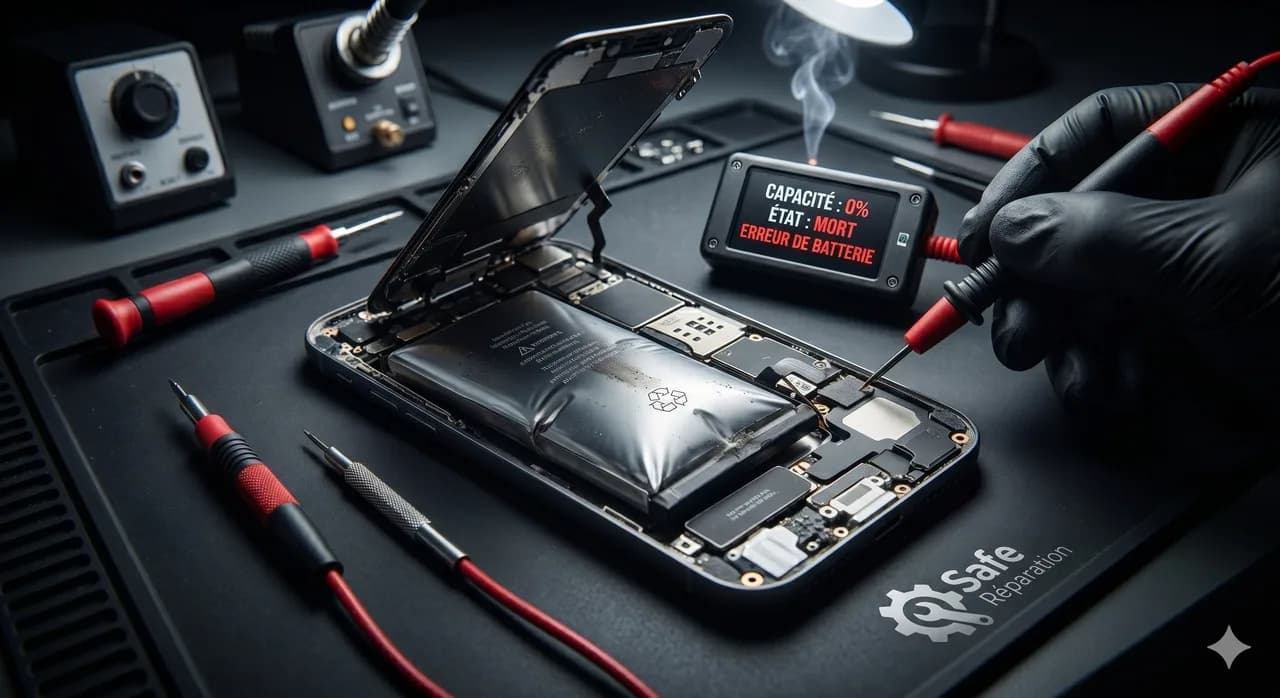
This is the most urgent and visible sign. If your iPhone's screen is slightly lifting, the back panel seems bulging, or the phone no longer sits flat on a table, your battery is probably swollen. Swelling is caused by gas production inside the decomposing lithium-ion cell. This is potentially dangerous. Stop using your iPhone immediately and bring it to a professional like Safe.
6. Battery life has drastically decreased
Your iPhone easily lasted all day and now it's dead before 2pm? If your usage hasn't changed, the battery is the culprit. Over time, actual capacity decreases. An iPhone with 100% capacity that lasted 12 hours will only last about 8 at 70% capacity. The decline is gradual and you get used to it, but it eventually becomes really inconvenient in daily life.
Related articles
 guides
Motherboard micro-soldering: why you should call an expert
Motherboard micro-soldering is a rare expertise. GPU reballing, baseband chips, charging circuits: discover why Safe is the reference in France.
 guides
iPhone won't charge: 5 solutions before repair
Your iPhone won't charge? Before heading to a repair shop, try these 5 simple solutions. And if nothing works, Safe repairs it in 30 min.
 guides
How much does iPhone screen repair cost in 2026?
How much to repair an iPhone screen in 2026? From €49 to €350 depending on the model. Discover our prices by generation and why choose Safe.
Stay informed with The Safe Mag
Tutorials, deals and tech news straight to your inbox. No spam, promise.